Stick a note to anything.
Update it forever.
NoteTag turns any barcode or QR code into a rich, editable note — with images, checklists, and dates. No printer needed. Free to use.
Free forever. No trial. No credit card. Upgrade only when you need more.
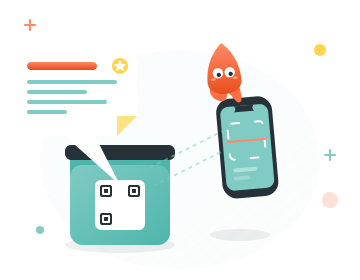
Three steps. No setup.
Scan any code
Point your camera at any barcode or QR code — on packaging, products, or one you printed yourself.
Attach your note
Write what matters: expiry dates, contents, instructions, photos. Rich text, not just a URL.
Update anytime
Contents changed? Edit the note. Share a Space with your household so everyone stays in sync.
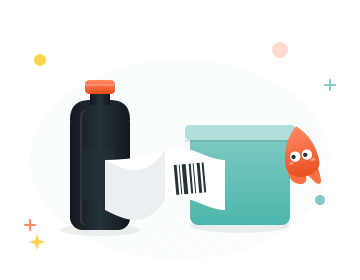
No printer needed. Reuse any barcode.
Every product in your home already has a barcode. When you pour rice into a container, the bag has a barcode. Cut it out, tape it on, and scan it with NoteTag. You just turned packaging into a smart label.
The barcode still works normally for everyone else. Your note is your private layer — visible only in NoteTag.
Want dedicated tags? Print a sheet of free QR stickers
One app. A hundred uses.
Pantry containers
Expiry dates, contents, and allergen info — always current, even when you refill.
Freezer bags
What is inside and when you froze it. No more mystery containers.
Seasonal storage boxes
What is actually in the Christmas box this year. Update when you pack, not six months later.
Shared household
Invite your family to a Space. Everyone scans the same tags and sees the same notes.
Kids' bins & school bags
What goes in the school bag tomorrow. What the activity kit contains. Notes the whole family can update.
Moving boxes & storage
Tag every box with its contents. Update when you add or remove something.
Everything you need. Nothing you don't.
- Rich text notes — headings, bold, lists, not just plain text
- Images and photos — snap a photo right into the note
- Checklists — track what is in the box, what needs restocking
- Shared Spaces — family, household, or team all see the same notes
- Works with any barcode — UPC, EAN, QR, Data Matrix, and more
- Offline capable — notes sync when you are back online
- Private by default — only people in your Space can see your notes
- Print your own QR tags — free at notetag.app/print

Free to use. Seriously.
20 notes, 2 members, one Space — enough to organize your kitchen, your garage, or your craft room. No trial. No credit card. Upgrade only when you outgrow it.
Free
Free
always
- Notes per Space20
- Members per Space2
- Owned Spaces1
- Joined Spaces1
- Note length1,500 chars
- Images per note1
Family
$1.00/mo
billed yearly — or $1.99/mo monthly
- Notes per Space75
- Members per Space5
- Owned Spaces2
- Joined Spaces2
- Note length5,000 chars
- Images per note2
Pro
$2.50/mo
billed yearly — or $4.99/mo monthly
- Notes per Space225
- Members per Space15
- Owned Spaces3
- Joined Spaces4
- Note length15,000 chars
- Images per note5
Free to download — upgrade anytime inside the app.
All paid plans are managed through the App Store or Google Play. Cancel anytime. Your notes stay even if you downgrade.

Your first smart label is one scan away.
Download NoteTag for free. Scan your first barcode in under a minute.
Available on iOS and Android. Requires iOS 16+ or Android 8+.